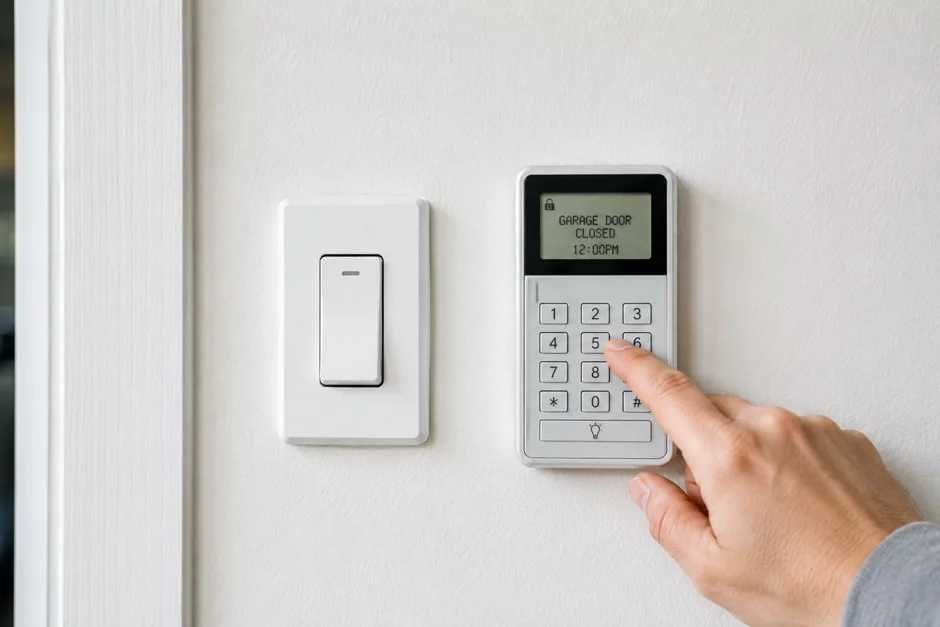
Why change the codes if the sellers seemed trustworthy?
Because the question is not whether you trust the sellers. It is how many copies of access exist that nobody can count. Over the years in a house, remotes and keypad codes get handed to cleaners, lawn crews, dog walkers, contractors, grown children, and neighbors watering plants. Any one of those remotes still in a glovebox opens your garage today, and on most homes the garage connects straight into the house.
College Grove makes this a common job rather than a rare one. Falls Grove is built out, so homes there change hands as resales, and McDaniel Estates and Reeds Vale are reaching the same stage. Every resale should trigger this checklist in the first week, alongside the lock change you already planned. It costs nothing but a ladder and twenty minutes.
Step one: erase the opener's memory
Clearing the memory is the only step that truly locks out the past. Changing just the keypad PIN leaves every old remote working. Erasing the memory removes all remotes, all keypads, and any car buttons paired to the opener, in one action.
- Find the learn button on the opener unit, usually on the back or side panel near the antenna wire. Its color and exact spot vary by model, so check the manual for your unit if it is not obvious.
- Press and hold the learn button until the indicator light goes out. On most LiftMaster, Chamberlain, and Genie systems that hold clears every programmed device. The Chamberlain and Genie sites host manuals by model if yours is missing.
- Test the old remote. If nothing happens when you press it, the memory is clear and you are starting from zero, which is the point.
- Work from a stable step ladder with the door closed, and keep the opener's light bulbs in mind. Some units run hot after repeated use.
Write down what you erased as you go. You are about to reprogram only the devices your household actually owns, and a short list keeps the count honest for next time.
Step two: reprogram your remotes and set a new keypad PIN
With a clean memory, add your devices back one at a time. The sequence is similar across the major brands, with the manual for your model as the final word.
- Press and release the learn button once. The indicator lights, and you have a short window, usually about thirty seconds, to program the next device.
- Press the button on the remote you want to pair. The opener light blinks or clicks to confirm. Repeat the full sequence for each additional remote.
- At the outside keypad, enter the new PIN you have chosen and press the learn sequence the keypad's instructions describe, typically entering the PIN and pressing Enter while the opener is in learn mode.
- Program any built-in car buttons last, following the car manual's pairing steps, then test every device from outside with the door in full view.
Choose a PIN that is not your house number, a birthday, or the last four of a phone number, because those are the first guesses anyone tries. Avoid the factory default as well; older keypads sometimes still carry one. If the keypad itself is cracked, sun-faded, or drops digits, this is the moment to replace it rather than fight it, and our remote and keypad repair service can supply and program a fresh one.
Step three: check the app access and the spare access points
A modern opener may also be a smart home device, and that account does not transfer with the house. If the opener has WiFi, the previous owner's app may still list your garage door. Reset the opener's WiFi settings following the manual, then connect it to your own account and your own network. Until you do, treat the app as one more uncounted remote.
Then walk the property and count every way in. Check for a second keypad on a detached garage or side door, ask the sellers' agent how many remotes exist and collect them at closing, and look for a spare remote clipped in a car that came with the property or left hanging on a hook in the garage. If the opener is old enough that none of this goes smoothly, the symptoms in our guide to signs an opener needs repair will tell you whether you are programming a healthy unit or nursing a dying one.
What else belongs on the moving-week list?
Garage access sits naturally beside three other first-week jobs. Change the exterior door locks, since you cannot count keys either. Find the manual disconnect cord and make sure every adult in the house knows it exists, because it is how you open the door in a power cut. And run the safety test: close the door and break the sensor beam with a box. It should reverse at once. A house new to you should prove its safety systems before you trust them.
If anything on this checklist fights back, a worn keypad, a learn button that will not clear, an opener too old to pair modern remotes, that is repair work rather than a programming puzzle. Our opener repair team handles it across 37046, and a keypad that has simply reached the end of its life can be replaced and programmed during the same visit as a remote and keypad service call.
Frequently Asked Questions
How do I change my garage door keypad code after moving in? Start by erasing the opener's memory: press and hold the learn button on the opener until its light goes out, which removes every old remote and keypad. Then press the learn button once and enter your new PIN at the keypad to pair it again, and reprogram each of your own remotes the same way. Button location varies by model, so check the manual.
Will erasing the opener memory delete my keypad too? Yes. A full memory erase removes every paired device at once: remotes, the outside keypad, and any car buttons programmed to the opener. That is exactly what you want after a move. You then add back only your own devices, one at a time, so the count of who can open your door starts at zero and stays known.
Where is the learn button on my garage door opener? It is usually on the back or side panel of the ceiling unit, near the short antenna wire, and it is often a small square button in a color like yellow, red, purple, or green depending on the brand and year. Location and color vary by model. The manufacturer manual for your model number shows it exactly.
The sellers left only one remote. Can we add more? Yes. Extra remotes and a new keypad can be paired to your opener as long as they are compatible with its frequency and security system, which most current LiftMaster, Chamberlain, and Genie accessories are. Program them after the memory erase so your household's devices are the only ones on the list.
My keypad stopped working after I changed the code. What should I check? Check the keypad battery first; it is the most common cause. Then repeat the pairing sequence slowly, because the opener only listens for a short window after the learn button is pressed. If the pad is cracked, faded, or drops digits even with a fresh battery, the keypad itself is worn and replacement is the practical fix.